
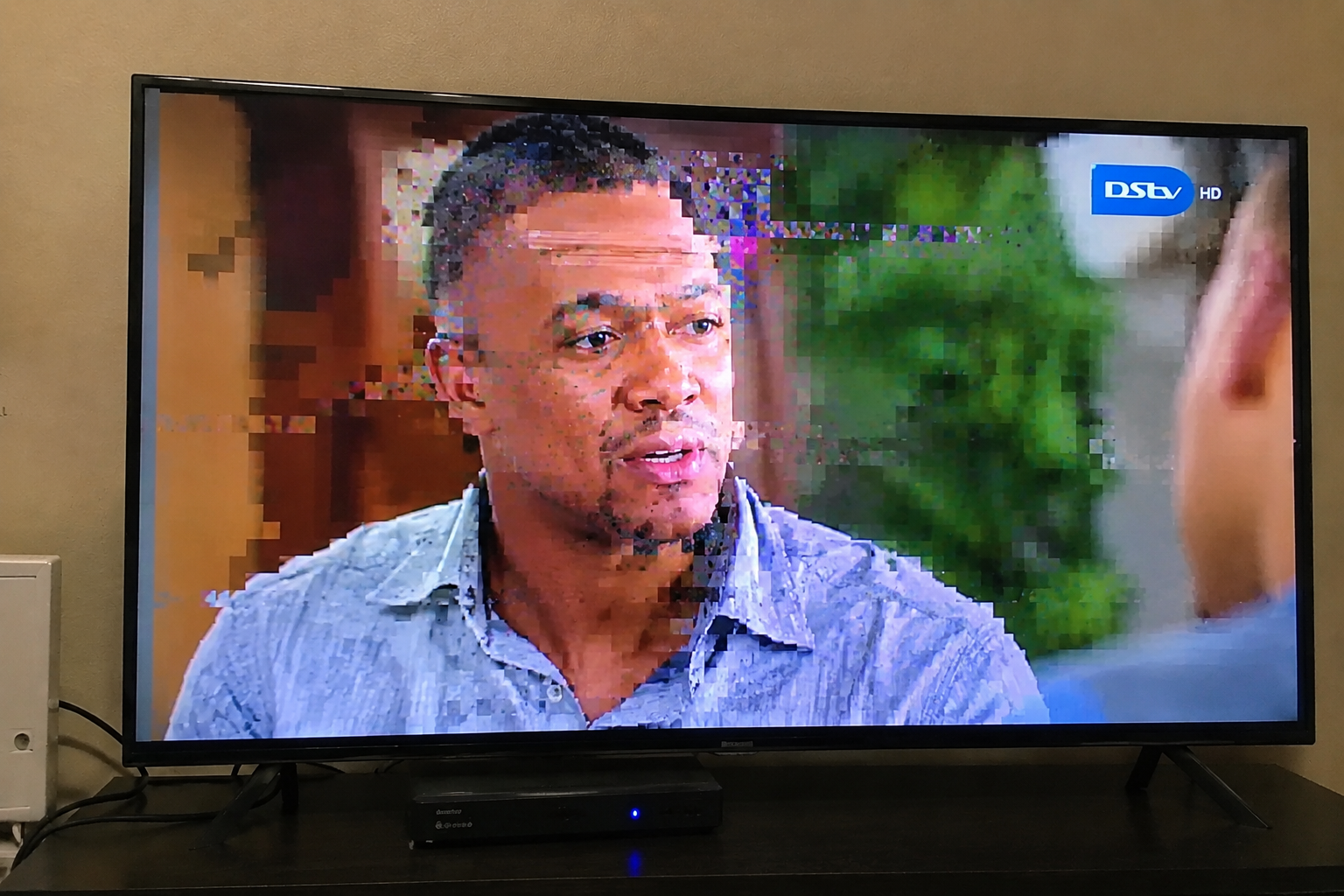
A DStv picture that keeps breaking into little blocks, freezing for a few seconds or losing sound can be more frustrating than having no signal at all. At least with a complete signal loss, you know there is a problem. With intermittent reception, the picture may look perfectly normal one moment and then become almost impossible to watch the next.
The cause is not always the same.
Pixelation and freezing can occur when the satellite signal becomes weak or unstable, particularly during severe weather. A dish that is slightly out of alignment, an ageing LNB, damaged cabling or a poor connection can also affect reception. In some cases, the satellite signal is perfectly fine and the problem is actually between the decoder and television.
The pattern of the problem is therefore important.
If the picture only breaks up during a severe storm, the weather may be responsible. If it happens on clear days, occurs repeatedly whenever there is light rain, affects several channels or keeps getting worse over time, the installation may need to be investigated.
Sound problems require another layer of troubleshooting because an audio interruption does not always mean there is a satellite signal fault.
Understanding what you are actually seeing and hearing can help you work out whether a simple check is enough or whether your DStv system needs professional attention.
Request DStv Signal Troubleshooting
Fill in the form below to request professional troubleshooting for your existing DStv installation.
What Causes DStv to Pixelate or Freeze?
Pixelation happens when parts of the picture break into small blocks, squares or distorted areas. Freezing occurs when the picture stops moving or repeatedly pauses before continuing.
Both symptoms can be associated with an unstable satellite signal.
A DStv system needs to receive enough signal information for the decoder to produce a continuous picture. When reception becomes unreliable, the decoder may not receive all the information it needs at the right time.
The result can be anything from a brief flicker to severe pixelation, frozen images or a complete interruption.
That does not automatically mean that the decoder itself is faulty.
The signal has to pass through the satellite dish, LNB, cabling and connections before reaching the decoder. A weakness anywhere along that route can affect the viewing experience.
DStv also confirms that severe weather can interrupt satellite reception because rain can weaken the signal. However, it specifically notes that ordinary rainfall, drizzle and overcast conditions should not normally cause signal problems. Persistent problems in those conditions can indicate that the dish is not optimally installed or properly fine-tuned.
That distinction is particularly useful when trying to determine whether you are dealing with temporary weather interference or an installation problem.
1. Heavy Rain Can Temporarily Affect the Picture
Severe rain is one of the first things to consider if pixelation and freezing suddenly begin during a major storm.
Satellite television signals can experience what is commonly called rain fade. DStv explains that satellite signals can become weaker as they pass through raindrops, and that heavy downpours can cause temporary signal interruptions.
You may notice several symptoms during a particularly heavy storm.
The picture might become blocky. A channel may freeze for a few seconds. Sound may cut out briefly. The picture might disappear and return. Eventually, you could lose reception altogether.
Once the downpour becomes lighter, the signal may recover.
That does not necessarily mean anything is broken.
However, there is an important difference between a DStv system that struggles during an exceptionally heavy storm and one that pixelates every time there is ordinary rain.
If your reception is consistently poor whenever the weather changes slightly, the weather may be exposing an underlying weakness in the installation rather than being the entire cause.
2. Your Satellite Dish Could Be Slightly Out of Alignment
A satellite dish needs accurate positioning to receive a reliable signal.
It does not have to look dramatically crooked for alignment to be a problem. A relatively small change in position can affect reception, particularly when weather conditions already weaken the signal.
Strong winds are one possible reason a dish may shift. Mounting hardware can also loosen or deteriorate over time.
This can produce an annoying pattern where your DStv works perfectly on a calm day but starts pixelating or freezing whenever conditions become less favourable.
The dish may appear completely normal when viewed from the ground.
That does not necessarily mean that its alignment is still optimal.
If the problem started after strong winds or has gradually become more frequent, dish alignment should be considered as part of a proper signal assessment.
DStv Connect provides satellite dish installation and alignment as part of its DStv services in Cape Town and surrounding areas, making this particularly relevant when an existing installation has become unreliable.
3. A Faulty or Ageing LNB Can Affect Reception
The LNB is mounted on the arm of the satellite dish and plays an important role in receiving the satellite signal.
Because it is installed outdoors, it is exposed to weather throughout the year.
Over time, an LNB can develop a fault or become less reliable. The symptoms can be similar to those caused by other signal problems, which makes it difficult to diagnose simply by looking at the television.
You may experience intermittent pixelation, freezing, missing channels or signal interruptions that seem to appear without a clear explanation.
An LNB problem can also become more noticeable during bad weather. If the system already has marginal signal performance, heavy rain may be enough to push reception below the level needed for stable viewing.
This is another reason why repeatedly replacing or resetting the decoder is not necessarily the right solution.
If the problem is originating at the satellite dish or LNB, changing the decoder does not address the source of the signal problem.
4. Damaged or Loose Cables Can Cause Intermittent Reception
A DStv signal needs to travel from the satellite dish to the decoder through the relevant cabling.
If that connection is compromised, reception can become unstable.
A cable does not necessarily need to be completely broken before it starts causing problems. A connection can become loose, outdoor cabling can deteriorate, or a cable can be damaged during work around the property.
This can result in a particularly confusing problem because the DStv may work normally for long periods before suddenly becoming pixelated or freezing.
DStv’s troubleshooting guidance for signal-related problems includes checking that the cables from the satellite dish are correctly connected to the decoder.
If your television or decoder has recently been moved, check whether anything may have disturbed the accessible connections.
Do not pull, twist or force cables into position. If a cable or connector appears damaged, it is better to have the installation assessed than to keep reconnecting it and hoping the problem disappears.
5. Loose Connections Can Make the Problem Come and Go
A loose connection can be particularly frustrating because it may not fail consistently.
You might watch television for several hours without a problem, only for the picture to suddenly break up.
Then everything appears normal again.
Intermittent faults like this can make people assume that the decoder is randomly malfunctioning.
However, an unstable connection can produce exactly this type of behaviour.
If the signal path is interrupted even briefly, the decoder may not receive everything it needs to maintain a stable picture.
Connections should therefore be checked when troubleshooting repeated pixelation and freezing, especially if the problem began after equipment was moved or cables were disturbed.
The important thing is to distinguish between connections that you can safely inspect yourself and equipment that requires professional access.
You should not climb onto a roof or attempt to reach an externally mounted dish simply to investigate a signal problem.
6. Obstructions Around the Dish Can Affect Reception
The environment around a satellite dish can change without anyone touching the dish.
Trees grow. Buildings are extended. New structures are installed. Other objects can appear in the path between the dish and the satellite.
A dish that had an unobstructed installation when it was originally installed may therefore have a different environment several years later.
This can become a gradual problem rather than an obvious one.
The DStv system may continue working most of the time, while reception becomes increasingly sensitive to weather or other conditions.
If you have noticed substantial growth around the dish or recent construction near it, mention this when arranging an assessment.
Do not try to remove branches or other obstructions from a difficult-to-access dish yourself. The risk of falling or damaging the installation is not worth it.
7. Your DStv Could Be Pixelating Because of Marginal Signal Quality
Signal strength and signal quality are important when diagnosing unstable reception.
A system may appear to work because it is receiving enough signal under favourable conditions, but it may have little margin for changes in weather or other interference.
That can explain why one household experiences constant pixelation while another nearby household continues watching normally during the same weather.
The difference may not simply be the weather.
One installation may have better dish alignment, a healthier LNB, better cabling or fewer weaknesses in the signal path.
This is why recurring pixelation should not automatically be dismissed as “just the rain”.
If the same system repeatedly struggles under relatively ordinary conditions, it is worth determining whether the installation is operating as it should.
8. Why Pixelation Can Get Worse During Rain
Rain can make an existing reception problem more obvious.
Suppose a satellite installation is already receiving a weaker or less stable signal than it should. Under clear conditions, the system may still produce a usable picture.
Then heavy rain arrives and weakens the signal further.
Suddenly, the decoder cannot maintain stable reception and the picture starts breaking up.
The homeowner sees the rain and assumes it is the sole cause.
In reality, the rain may have exposed a problem that was already present.
DStv states that ordinary rainfall, drizzle and overcast conditions should not normally cause signal problems. If reception problems occur in those circumstances, DStv advises that the dish may not be optimally installed or properly fine-tuned.
That is why the pattern matters more than a single incident.
9. Why Some Channels May Pixelate While Others Work Normally
Not every reception problem necessarily affects every channel in exactly the same way.
You might notice that one channel freezes or pixelates while another appears normal.
This can make the problem difficult to understand because it may seem as though the satellite dish cannot possibly be responsible if some channels still work.
But partial reception does not automatically rule out a signal issue.
Different services can be affected differently when reception quality is compromised.
The more useful question is whether the problem is becoming more frequent, whether additional channels are affected over time, and whether the issue occurs under particular weather conditions.
If one channel is consistently problematic while others remain stable, it is still worth documenting the pattern rather than immediately assuming that the entire decoder has failed.
10. Your Decoder Could Be Having a Problem
The satellite installation is not always responsible.
A decoder is an electronic device and can experience its own faults or performance problems.
That is why troubleshooting needs to consider both the incoming satellite signal and what happens once the decoder receives it.
DStv’s own HD decoder guidance warns users not to attempt to repair the decoder themselves or remove its cover, and recommends referring servicing to the appropriate service support.
If you have already checked the obvious connections and the viewing problem continues regardless of weather, the decoder may need to be assessed.
However, it is still better to establish whether the signal reaching the decoder is healthy before assuming the decoder is the culprit.
11. Losing Sound Does Not Always Mean You Have a Satellite Signal Problem
A picture that pixelates and a sound problem can occur together, but they do not necessarily have the same cause.
If the picture is breaking up at the same time as the audio cuts out, an unstable satellite signal is one possible explanation.
But if the picture remains perfectly clear while the sound disappears, the problem may be closer to the television.
The HDMI cable connecting the decoder to the television can be relevant. The selected audio output, television settings or connected sound equipment may also need to be considered.
This distinction can save you from calling for a satellite dish repair when the actual issue is a connection between the decoder and television.
Start by observing exactly what happens.
If both picture and sound deteriorate together, investigate signal-related causes.
If the picture remains stable while only the sound disappears, broaden the troubleshooting to include the decoder-to-TV connection and audio equipment.
Request DStv Technical Assistance
Fill in the form below to request professional DStv troubleshooting and identify whether the issue is with signal reception, equipment or connections.
12. A Faulty HDMI Cable Can Cause Audio or Picture Problems
The cable between your decoder and television is separate from the satellite cable bringing the signal into the decoder.
That distinction matters.
A satellite dish problem affects the incoming signal.
An HDMI problem can affect what happens between the decoder and television.
If you have a perfectly stable satellite signal but the television intermittently loses the picture or sound, the HDMI connection becomes worth checking.
For example, if the sound cuts out whenever the cable is moved or the television has recently been repositioned, the issue may have nothing to do with the satellite dish.
The same principle applies when troubleshooting a television that displays an input or connection message rather than a DStv signal-related error.
13. Weather Is Not Always the Explanation in Cape Town
Cape Town weather can absolutely affect satellite reception during severe conditions.
DStv confirms that heavy downpours can cause temporary signal interruptions due to rain fade.
But that does not mean every pixelated picture should be blamed on the weather.
If the DStv signal becomes unstable during light rain, drizzle or ordinary cloudy conditions, the installation may need attention.
Strong winds can also be relevant because they can affect exposed satellite equipment and potentially contribute to dish movement or mounting problems.
The useful question is therefore not simply, “Is it raining?”
Ask instead:
How severe is the weather, and does my DStv work reliably when the weather is normal?
That gives you much more useful information.
14. What If the Problem Only Happens During Certain Weather?
Pay attention to the pattern over several days rather than judging the system based on one incident.
If pixelation only occurs during exceptionally heavy rain and disappears once the weather improves, temporary weather-related interference may be the explanation.
If the same problem happens during ordinary rainfall, that is more concerning.
If the problem occurs even when the sky is clear, the weather becomes an unlikely explanation and the installation needs to be considered more closely.
Keeping track of when the problem happens can also help a technician.
For example, saying that “the DStv keeps freezing” is useful, but explaining that “it freezes during light rain, becomes worse during wind and sometimes does it on clear evenings” gives a much clearer picture of what may be happening.
15. What If the Problem Happens Every Day?
Daily pixelation or freezing is not something you should simply accept as part of having satellite television.
If the picture repeatedly breaks up under normal conditions, there may be an unresolved fault affecting the system.
The same applies if you have to restart the decoder regularly to restore normal viewing.
A restart can be a reasonable first troubleshooting step. DStv’s E48 guidance, for example, recommends switching the decoder off at the wall plug, waiting at least 10 seconds and then switching it back on after checking the relevant connections.
But restarting equipment every day is not a long-term solution.
If the underlying issue is a dish alignment problem, cable fault, LNB problem or another installation issue, the problem will continue returning until the cause is addressed.
16. What If Several TVs Are Pixelating?
The number of affected televisions can provide another clue.
If you have multiple DStv viewing points and they all start experiencing the same pixelation or freezing at roughly the same time, the problem may be further upstream in the installation.
A shared dish, distribution system or another common component could potentially be involved.
On the other hand, if only one TV is affected while another continues working normally, the problem may be isolated to that particular decoder, cable route or viewing point.
This distinction becomes particularly important for homes using XtraView, additional TV points or more complicated installations.
DStv Connect offers additional TV point, XtraView and communal or commercial DStv services, so more complex installations can be assessed according to how their individual viewing points are connected.
17. What If Pixelation Started After Moving the Decoder?
Think about anything that changed immediately before the problem began.
If you recently moved your decoder or television, rearranged your entertainment unit, changed cables or had work done around the property, the timing may be significant.
Equipment that has been moved can have cables pulled, connectors disturbed or connections placed under unnecessary strain.
If the satellite dish itself was moved or the system was relocated to another room or property, accurate installation and alignment become even more important.
A recent change in the setup is therefore something worth mentioning when requesting troubleshooting.
18. Why You Should Not Adjust the Satellite Dish Yourself
When a DStv picture keeps freezing, it is tempting to go outside and move the dish.
That is not recommended.
Satellite dish alignment is precise. Moving the dish by trial and error can make the reception worse rather than better.
There is also a genuine safety issue if the dish is mounted on a roof, high wall or another difficult-to-access location.
The better approach is to have the dish and signal properly assessed.
DStv Connect provides satellite dish installation and alignment services, which can be useful when a dish has shifted, was not correctly aligned or needs to be assessed as part of a wider signal problem.
What Can You Safely Check Yourself?
There are a few basic checks you can perform before arranging professional assistance.
Start by looking at the weather and considering whether the problem coincides with exceptionally heavy rain.
Then check the accessible connections between the decoder and television. Make sure cables have not accidentally been disconnected.
If you are experiencing a signal-related problem, check that the cable from the satellite dish is properly connected to the decoder.
You can also restart the decoder. DStv recommends switching the decoder off at the wall plug, waiting at least 10 seconds and switching it back on for E48-related signal issues.
After that, observe the system rather than repeatedly resetting it.
Does the picture immediately become stable?
Does it start pixelating again after a few minutes?
Does the problem return when the weather changes?
Does only one television have the problem?
Does the sound remain affected even when the picture is clear?
These observations can help distinguish between different types of faults.
Do not open the decoder or attempt internal repairs. DStv’s own equipment guidance specifically warns against users attempting to repair the decoder themselves.
When Should You Call a DStv Installer?
You do not necessarily need an installer because of one brief interruption during an exceptionally heavy storm.
However, professional troubleshooting becomes worthwhile when the problem is persistent, recurring or happening under conditions that should normally allow reliable reception.
An installer should be considered if your DStv:
- Pixelates or freezes regularly during ordinary weather
- Loses signal repeatedly after strong winds
- Continues having problems when the weather is clear
- Becomes progressively less reliable
- Has problems that return despite restarting the decoder
- Has visible or suspected cable or connection problems
- Has multiple viewing points experiencing the same issue
- Started malfunctioning after a relocation or installation change
These patterns suggest that there may be more to the problem than temporary weather interference.
Request a Professional DStv Signal Assessment
If your DStv keeps pixelating, freezing or losing sound despite basic checks, complete the form below to request professional troubleshooting for your DStv installation.
Why Professional Troubleshooting Is Better Than Guessing
A signal problem can have several possible causes, and the symptoms can overlap.
A pixelated picture could be weather-related, but it could also be associated with dish alignment, an LNB, cabling or connections.
A frozen picture could have a similar range of causes.
Sound that disappears while the picture remains clear may require a different troubleshooting approach altogether.
That is why replacing components based on guesswork can become expensive without necessarily solving the problem.
A professional assessment can look at the installation as a complete system.
The dish can be inspected for alignment and mounting condition. The LNB can be assessed. Cables and connectors can be checked. Signal performance can be evaluated, and the decoder and viewing setup can be considered.
The aim is to identify the source of the problem before deciding what needs to be repaired or replaced.
Why a New Decoder May Not Fix Pixelation
Replacing the decoder can seem like the obvious solution when the picture is constantly freezing.
But if the satellite signal arriving at the decoder is already unstable, a new decoder is still receiving an unstable signal.
It cannot correct a dish that has shifted.
It cannot repair damaged cabling.
It cannot fix an LNB that is failing.
It cannot remove an obstruction from the dish’s line of sight.
This is why signal troubleshooting should generally come before assuming that the decoder itself needs replacement.
If the decoder is actually faulty, that can be established as part of the assessment.
If it is not, you avoid replacing equipment unnecessarily.
What If the Problem Is Only With Sound?
Sound deserves a slightly different troubleshooting path.
If the picture is also pixelating or freezing at exactly the same time as the audio disappears, a signal problem may be affecting both.
If the picture remains sharp and completely stable while the sound cuts out, look more closely at the decoder-to-TV connection and audio equipment.
Check whether the HDMI cable is securely connected and whether the television’s audio settings have changed.
If you use a soundbar, amplifier or another external audio device, consider whether the problem is occurring between the television and that equipment.
This is one situation where replacing a satellite dish would make little sense without first establishing that the satellite signal is actually the problem.
What If the DStv Picture Is Fine but the Sound and Picture Both Stop?
If both picture and sound stop together, the problem is more likely to involve the signal or equipment rather than being purely an audio issue.
Again, the pattern matters.
If the interruption lasts a few seconds and occurs during a severe storm, weather may be responsible.
If it happens repeatedly during clear weather, the satellite installation and decoder should be investigated.
If the television itself displays an input error, however, the problem may instead be with the connection between the decoder and TV.
This is why describing exactly what appears on the screen can make troubleshooting much more efficient.
How to Prevent Small DStv Problems From Becoming Bigger Ones
You cannot prevent severe weather from affecting satellite reception completely, but you can pay attention to recurring problems.
A system that occasionally loses signal during an extreme storm may simply be experiencing temporary rain fade.
A system that has gradually become more sensitive to ordinary weather is different.
If you notice that your DStv has started pixelating during conditions that previously caused no problems, that change is worth taking seriously.
The same applies to intermittent freezing, recurring sound interruptions or reception problems that started after strong wind or work around the property.
Addressing an installation problem while it is still intermittent can be preferable to waiting until the system stops receiving a usable signal altogether.
DStv Pixelation, Freezing and Sound Loss Should Not All Be Treated the Same
A DStv picture that keeps breaking up does not have one universal cause.
Heavy rain can temporarily weaken satellite reception. DStv confirms that severe downpours can cause rain fade and signal interruptions, while ordinary rainfall, drizzle and overcast weather should not normally result in reception problems.
If pixelation or freezing happens mainly during severe weather and disappears afterwards, there may be nothing wrong with the installation.
But if the same symptoms occur during normal conditions, the dish alignment, LNB, cabling, connections and signal performance deserve closer attention.
Sound problems also need to be considered separately. When the picture and sound fail together, the satellite signal may be involved. When the picture remains completely clear while only the sound disappears, the decoder-to-TV connection or audio equipment may be a more likely place to investigate.
That is why the exact pattern matters.
DStv Connect provides DStv repairs and signal troubleshooting for existing systems, alongside satellite dish installation and alignment and other DStv installation services in Cape Town and surrounding areas.
The goal should not be to replace equipment simply because the picture is misbehaving. It should be to establish what is causing the instability and address the actual source.
If your DStv has started pixelating, freezing or losing sound regularly, especially during ordinary weather, professional troubleshooting can help determine whether the problem is coming from the satellite signal, outdoor equipment, cabling, decoder or television connection.
Request DStv Repairs and Signal Troubleshooting
Fill in the form below to request professional troubleshooting and identify what is affecting your viewing experience.