
DStv Relocation and Reinstallation in Cape Town
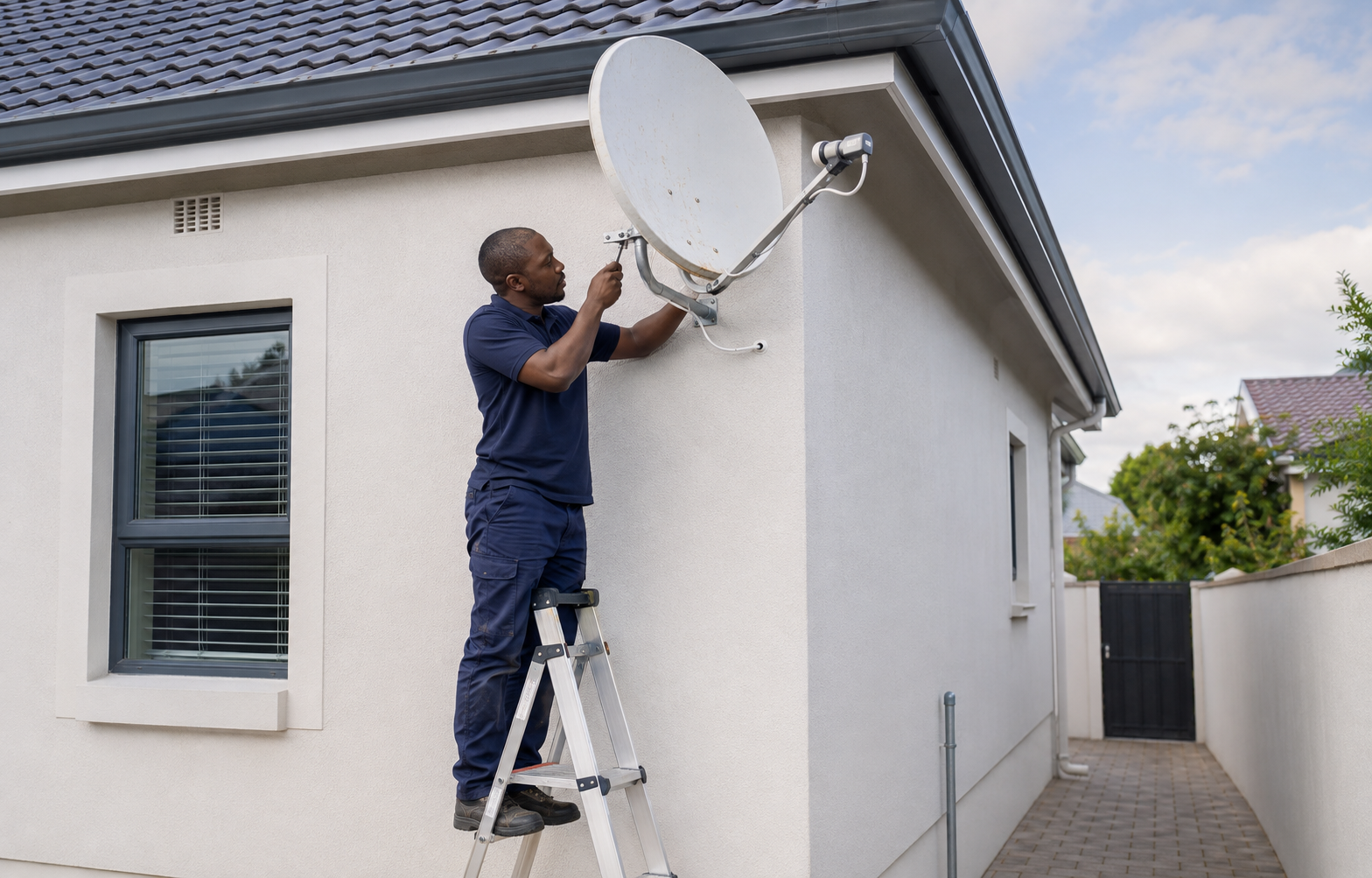
Move your DStv system to a new home, office or position on your property with professional removal, installation and signal setup. DStv Connect serves Cape Town and surrounding areas.
Request a DStv Relocation Quote
Fill in the form below and our team will contact you about your DStv relocation or reinstallation.
Professional DStv Relocation Services in Cape Town
Moving to a new property does not always mean purchasing a completely new DStv system. A suitable decoder, satellite dish, LNB and other equipment may be removed and reinstalled at the new address when they remain compatible and in good condition.
DStv Connect provides relocation and reinstallation services for houses, flats, apartments, offices and other properties across Cape Town. We can assist with transferring an existing system, connecting a decoder to equipment already installed at the destination or repositioning a satellite dish on the same property.
The best approach depends on the condition and ownership of the existing equipment, the decoder being used and the satellite infrastructure available at the new location. These factors should be assessed before the dish is removed or replacement equipment is purchased.
Moving Your DStv to a New Home in Cape Town
Your DStv decoder can be reconnected at a new home if the property has a suitable satellite installation. You may take your existing dish and LNB with you, leave them at the previous property or use compatible equipment already installed at the new address.
If the destination does not have a usable satellite dish, the existing equipment can be removed and installed at the new property. The dish will need a suitable mounting position, clear satellite line of sight and practical cable route to the decoder.
Where a dish is already present, it must be checked before the decoder is connected. The dish may be misaligned, the LNB may be incompatible or the cabling may have deteriorated while the property was unoccupied.
A DStv reinstallation can also provide an opportunity to change the viewing arrangement. The new property may require a different cable route, another decoder position, an additional television point or changes to an existing Explora or XtraView setup.
What a DStv Relocation Includes
The required work depends on whether the existing satellite equipment will be moved and what is already available at the destination.
A DStv relocation may include:
- Assessing the existing decoder and satellite equipment
- Removing a suitable satellite dish and LNB
- Checking brackets, cables and connectors
- Selecting a mounting position at the new property
- Reinstalling or replacing the satellite dish
- Installing a compatible LNB or Smart LNB
- Running new RG6 satellite cabling
- Connecting the decoder to the television
- Aligning the satellite dish
- Testing signal strength and quality
- Configuring the decoder
- Reinstalling additional TV points
- Setting up compatible Explora or XtraView systems
Equipment is reused only when it is compatible and serviceable. A damaged dish, corroded bracket, faulty LNB or deteriorated cable may need to be replaced instead of transferred.
Request a DStv Relocation Quote
Fill in the form below and our team will contact you about your DStv relocation or reinstallation.
Reusing a Satellite Dish at Your New Property
A satellite dish already installed at the destination can sometimes be reused, reducing the amount of new equipment required. Its presence alone does not confirm that it is suitable for the decoder.
The dish should be securely mounted, correctly sized and positioned with an unobstructed line of sight. Its bracket, bolts and mounting surface should be stable enough to maintain alignment.
The installed LNB must also be compatible with the decoder and intended viewing arrangement. A standard HD decoder may operate with different LNB configurations, while an Explora or XtraView system can require a compatible DStv Smart LNB or communal distribution setup.
Existing cabling should be checked for loose connectors, corrosion, water ingress, unsuitable joins and physical damage. If the cable is serviceable, it may be retained. An unreliable or poorly routed cable may need to be replaced before the decoder is connected.
The dish can then be aligned and the signal tested at the decoder. This confirms whether the complete signal path is working rather than relying only on the visible condition of the outdoor equipment.
Removing and Reinstalling Your Existing DStv Dish
Taking the current dish can be practical when the customer owns the equipment, it remains in good condition and the new property does not have a suitable installation.
Before removal, customers living in rental properties should confirm whether the dish belongs to them and whether it may be removed. Similar confirmation may be required when a property has been sold with fixtures included.
A dish that is badly corroded, bent or unstable may not be worth reinstalling. The cost and effort involved in moving damaged equipment can make replacement the more practical option.
The LNB and bracket must also be inspected. Outdoor exposure can affect these components even when the dish itself appears usable. Equipment that is transferred should still be suitable for the decoder and viewing configuration at the new property.
At the destination, the dish is mounted in an appropriate position, aligned and connected to the decoder through suitable satellite cabling. The signal is then tested before the relocation is completed.
Satellite Dish Relocation on the Same Property
A DStv dish may need to be moved even when the customer is not changing address. Renovations, roof repairs, solar panel installation, new extensions and growing trees can make the original position unsuitable.
The dish may also have been mounted on an unstable surface or in a position that creates an inconvenient cable route. Moving it to a more suitable location can resolve an obstruction or support planned property changes.
The new position must provide the required satellite line of sight and secure mounting surface. It should also allow cabling to reach the decoder without unnecessary exposure, excessive joins or avoidable disruption to the property.
Once repositioned, the dish must be accurately realigned. The LNB, cabling and connectors are checked before signal strength and quality are tested at the decoder.
Moving the dish without realigning and testing it can result in E48-32 errors, missing channels, pixelation or complete signal loss.
Request a DStv Relocation Quote
Fill in the form below and our team will contact you about your DStv relocation or reinstallation.
Explora Reinstallation in Cape Town
A DStv Explora requires compatible satellite equipment. An installation commonly uses an 80cm satellite dish, DStv Smart LNB and appropriate cabling.
If an Explora is being moved to a property with an existing dish, the dish and LNB should be inspected before the decoder is connected. An older single-view installation may require equipment changes to support the Explora.
The decoder can then be connected to the television, configured and tested. Where supported internet features are required, the connection to the home network may also need to be set up again at the new property.
A compatible Explora installation can be reused when moving between suitable properties, but the dish position, signal quality and cable arrangement must be established separately at the destination.
XtraView Relocation and Reconfiguration
Relocating an XtraView system involves more than moving one decoder. The primary and secondary decoders, Smart LNB, cable routes and account link must continue to work together.
The new property may have a different room layout, requiring new cable routes to each decoder. Existing user-band assignments and decoder settings should be checked once the physical equipment has been reinstalled.
If a decoder is being removed from the XtraView arrangement, DStv may need to update the account link before the existing system is disconnected. Changes to primary and secondary decoder roles may also require account-side assistance.
The relocated system is tested at every connected television to confirm stable signal reception and independent viewing.
DStv Reinstallation in Flats and Complexes in Cape Town
Flats, apartments and residential complexes frequently use communal satellite infrastructure. A decoder moving from a house with an individual dish may not connect to the communal system without the correct configuration.
The available wall outlets, shared distribution equipment and signal feeds should be checked before the decoder is installed. Explora and XtraView arrangements may require specific user-band or multiswitch support from the communal system.
Where an individual dish is allowed, approval may be required from the landlord, body corporate or property manager before it is mounted. The property may also restrict dish positions and external cable routes.
Customers moving out of a flat should confirm whether an individually installed dish may be removed. Equipment forming part of the building’s communal system must remain in place.
Request a DStv Relocation Quote
Fill in the form below and our team will contact you about your DStv relocation or reinstallation.
Residential and Commercial DStv Relocations
DStv relocation services are available for houses, townhouses, flats, apartments, offices and other commercial properties.
Residential relocations may involve one decoder and television or a larger Explora, XtraView and multi-room arrangement. The equipment and new room layout determine how much cabling and configuration are required.
Commercial relocations can involve several televisions, decoders and distribution components. Guesthouses, restaurants, offices and other businesses may require a new signal-distribution plan rather than a straightforward transfer of the previous installation.
The equipment at both properties should be considered before the relocation is planned. Components suitable for one building may not match the layout or infrastructure available at another.
DStv Decoder Setup and Account Changes
DStv Connect handles the physical removal, installation, alignment, cabling and decoder configuration required for the relocation.
Subscription, billing, decoder ownership and account-detail changes remain managed through DStv. Customers may need their account and decoder information available when activation or XtraView changes are required.
Moving the decoder does not repair an internal hardware fault. A decoder that does not power on or continues malfunctioning despite receiving a stable signal may need testing through a DStv service centre or authorised agency.
Factors Affecting DStv Relocation Prices in Cape Town
The cost of a DStv relocation depends on the equipment being moved, the condition of the existing installation and what is available at the destination.
Connecting a decoder to a suitable existing dish will differ from removing an entire system and reinstalling it at another property. Replacement brackets, LNBs, dishes and cabling can also affect the final price.
Other factors include the distance between decoder and dish, accessibility of the mounting position, number of television points and complexity of the viewing arrangement. Explora, XtraView and commercial systems generally require more equipment and configuration than a single-view decoder.
A dish relocation on the same property may require a new bracket or longer cable route. Flats and complexes may require additional assessment of the communal system before the work can be confirmed.
Providing information about the decoder, existing dish, destination property and required viewing rooms helps us determine the likely scope of work. The relocation quote can then reflect the actual equipment and installation required.
Request a DStv Relocation Quote
Fill in the form below and our team will contact you about your DStv relocation or reinstallation.
Why Choose DStv Connect for Your Relocation?
A successful relocation depends on more than reconnecting the decoder at another address. The satellite dish, LNB, cable route and decoder settings must all suit the destination property.
DStv Connect assesses the equipment available at the new location before determining what should be reused, moved or replaced. This helps avoid transferring damaged equipment or purchasing components that are not required.
We assist with decoder reconnections, complete dish relocations, same-property repositioning and the reinstallation of Explora, XtraView and additional TV point systems.
DStv Relocation and Reinstallation Across Cape Town
DStv relocation and reinstallation services are available when moving home, changing offices, renovating a property or moving the decoder and television to another room. Satellite dishes, decoders and suitable installation equipment can be relocated throughout Cape Town and surrounding areas.
- City Bowl and Atlantic Seaboard: Cape Town City Centre, Gardens, Vredehoek, Woodstock, Salt River, Sea Point, Green Point, Camps Bay and Hout Bay.
- Southern Suburbs: Observatory, Pinelands, Mowbray, Rondebosch, Newlands, Claremont, Kenilworth, Wynberg, Constantia, Plumstead, Diep River, Bergvliet and Tokai.
- Cape Flats and eastern areas: Athlone, Crawford, Bonteheuwel, Manenberg, Hanover Park, Grassy Park, Langa, Gugulethu, Nyanga, Philippi, Mitchells Plain, Khayelitsha, Delft, Belhar, Blue Downs, Eerste River, Mfuleni and Macassar.
- Northern Suburbs: Goodwood, Parow, Bellville, Durbanville, Brackenfell, Kraaifontein, Kuils River, Edgemead, Bothasig, Monte Vista, Plattekloof, Panorama and Fisantekraal.
- West Coast: Milnerton, Century City, Table View, Parklands, Bloubergstrand, Sunningdale, Dunoon, Melkbosstrand and Atlantis.
- South Peninsula: Muizenberg, Fish Hoek, Noordhoek, Kommetjie, Ocean View, Simon’s Town and Kalk Bay.
- Helderberg, Cape Winelands and surrounding towns: Somerset West, Strand, Gordon’s Bay, Grabouw, Stellenbosch, Kayamandi, Paarl, Mbekweni, Wellington, Franschhoek, Klapmuts, Malmesbury and Darling.
Request a DStv Relocation in Cape Town
Move or reposition your DStv system with professional dish installation, cabling, alignment and decoder setup. Request a relocation quote from DStv Connect for Cape Town and surrounding areas.
Request a DStv Relocation Quote
Fill in the form below and our team will contact you about your DStv relocation or reinstallation.